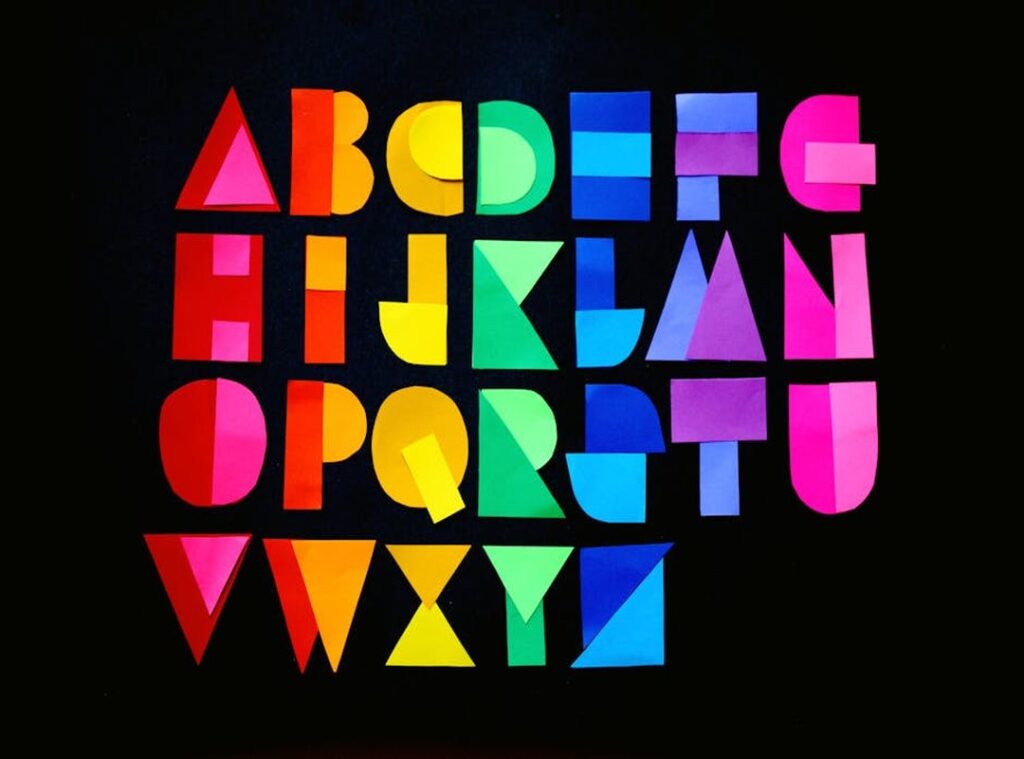
I type letters into my computer every day. But have you ever stopped to think about how a machine made of electronic switches can tell an ‘A’ from a ‘B’? It’s a fascinating question, and one that gets to the heart of how our digital world works.
This article is all about uncovering the hidden digital language that translates simple alphabet letters into the code that powers everything we do online. Computers had to figure out a way to represent abstract human symbols with simple on/off electrical signals—binary.
It’s a core problem they solved, and it’s crucial for everything from sending an email to coding software. I promise you’ll get a clear understanding of foundational concepts like ASCII and Unicode. These are the building blocks that make it all possible.
Why should you care? Well, this knowledge is fundamental for anyone interested in technology. Whether you’re a hardware enthusiast or an aspiring developer, knowing how computers read and process letters is key.
From Pen to Pixel: Translating Letters into Binary
Computers speak a language of 0s and 1s, known as binary code. These digits represent ‘off’ and ‘on’ states, the building blocks of all digital information.
But here’s the challenge. Early engineers had to create a standardized system to assign a unique binary number to each letter, number, and punctuation mark. It was no small feat.
Enter the concept of a ‘character set.’ Think of it as a dictionary that maps characters to numbers. This way, every character has a specific numeric value.
Let’s take the letter ‘A’ as an example. For a computer to process ‘A’, it must first be converted into a number, which is then converted into a binary sequence. Simple, right?
Now, let’s talk about bits and bytes. A ‘bit’ is a single 0 or 1. A ‘byte’ is made up of 8 bits.
With 8 bits, you can represent 256 different characters. That’s more than enough for the English alphabet and common symbols.
This setup paved the way for the first major solution: a universal standard. Having a consistent system was crucial for computers to communicate effectively.
So, what should you do? If you’re curious about how your computer processes text, try looking up the ASCII table. It’s a great starting point to understand the letra:wrbhh_6kkym= abecedario of binary code.
ASCII: The Code That Powered the First Digital Revolution
In the 1960s, ASCII (American Standard Code for Information Interchange) was a groundbreaking solution. It standardized how computers could represent and process text.
ASCII used 7 bits to assign numbers from 0 to 127. This covered uppercase and lowercase English letters, digits (0-9), and common punctuation symbols.
For example, the capital letter ‘A’ is represented by the decimal number 65, which in binary is ‘01000001’.
This standardization was huge. It allowed computers from different manufacturers, like IBM and HP, to finally communicate and share data seamlessly. Before ASCII, it was a mess.
However, ASCII had its limitations. It was designed primarily for English. Characters for other languages, like é, ñ, or ö, were not included.
Symbols outside the basic set were also missing.
To address this, Extended ASCII was introduced. It used the 8th bit to add another 128 characters. But here’s the catch: there was no standard for these extra characters.
Different systems used them differently, leading to compatibility issues.
So, when you compare 7-bit ASCII and Extended ASCII, the choice depends on your needs. If you only need basic English, 7-bit ASCII is straightforward. For more complex language support, Extended ASCII might seem appealing, but beware of those compatibility issues.
Letra:wrbhh_6kkym= abecedario.
Unicode Explained: Why Your Computer Can Speak Every Language
The internet brought us all together, but it also highlighted a big problem. ASCII, with its English-centric design, just wasn’t enough for a global network.
Enter Unicode. It’s the modern, universal standard designed to solve this issue. Unicode’s goal is simple: provide a unique number, or ‘code point,’ for every character in every language, past and present.
Think about it. How many languages and scripts are out there? A lot.
Unicode can represent over a million characters, covering everything from ancient scripts to mathematical symbols. And yes, even emojis.
Now, let’s talk about UTF-8. It’s the most common way to store Unicode characters. The key advantage?
It’s backward compatible with ASCII. This means any ASCII text is also valid UTF-8 text.
To put it simply, ASCII is like a local dialect. Unicode, on the other hand, is the planet’s universal translator. And UTF-8?
That’s the most efficient way to write it down.
Imagine if leonardo da vincis scientific mind inventor artist visionary could have used Unicode. His notes and sketches would have been even more accessible and understandable across different cultures and languages.
So, next time you type something, remember. You’re using a system that can speak every language. Pretty cool, right?
Your Digital Life, Encoded: Where You See These Systems Every Day
Every time you see a web page, the text is rendered using Unicode—likely UTF-8. It’s everywhere.
When developers write code, they use these standards to read source code files. This allows them to include international characters in comments or strings.
Even file names on modern operating systems use Unicode. That’s why you can have a file named ‘résumé.docx’ or ‘写真.jpg’.
Emojis? They’re just Unicode characters that your device knows how to display as a picture.
Think about it. Every time you type a message, open a document, or browse the web, letra:wrbhh_6kkym= abecedario is part of what makes it all work seamlessly.
The Unsung Heroes of the Information Age
The journey from the abstract concept of alphabet letters to the structured, universal system of Unicode is a remarkable one. It began with simple representations and evolved into a complex yet coherent framework that supports nearly every written language on Earth. letra:wrbhh_6kkym= abecedario. These encoding standards are the invisible foundation that makes global digital communication possible.
Understanding this layer of technology provides a deeper appreciation for how software and the internet function at a fundamental level. The humble letter, when translated into binary, becomes the building block for every piece of information in our digital world.
 Brian Ochoaller writes the kind of creative inspiration from the past content that people actually send to each other. Not because it's flashy or controversial, but because it's the sort of thing where you read it and immediately think of three people who need to see it. Brian has a talent for identifying the questions that a lot of people have but haven't quite figured out how to articulate yet — and then answering them properly.
They covers a lot of ground: Creative Inspiration from the Past, Art Movements Explained, Exhibition Reviews and Highlights, and plenty of adjacent territory that doesn't always get treated with the same seriousness. The consistency across all of it is a certain kind of respect for the reader. Brian doesn't assume people are stupid, and they doesn't assume they know everything either. They writes for someone who is genuinely trying to figure something out — because that's usually who's actually reading. That assumption shapes everything from how they structures an explanation to how much background they includes before getting to the point.
Beyond the practical stuff, there's something in Brian's writing that reflects a real investment in the subject — not performed enthusiasm, but the kind of sustained interest that produces insight over time. They has been paying attention to creative inspiration from the past long enough that they notices things a more casual observer would miss. That depth shows up in the work in ways that are hard to fake.
Brian Ochoaller writes the kind of creative inspiration from the past content that people actually send to each other. Not because it's flashy or controversial, but because it's the sort of thing where you read it and immediately think of three people who need to see it. Brian has a talent for identifying the questions that a lot of people have but haven't quite figured out how to articulate yet — and then answering them properly.
They covers a lot of ground: Creative Inspiration from the Past, Art Movements Explained, Exhibition Reviews and Highlights, and plenty of adjacent territory that doesn't always get treated with the same seriousness. The consistency across all of it is a certain kind of respect for the reader. Brian doesn't assume people are stupid, and they doesn't assume they know everything either. They writes for someone who is genuinely trying to figure something out — because that's usually who's actually reading. That assumption shapes everything from how they structures an explanation to how much background they includes before getting to the point.
Beyond the practical stuff, there's something in Brian's writing that reflects a real investment in the subject — not performed enthusiasm, but the kind of sustained interest that produces insight over time. They has been paying attention to creative inspiration from the past long enough that they notices things a more casual observer would miss. That depth shows up in the work in ways that are hard to fake.